


Logitech Bolt USB-C Receiver
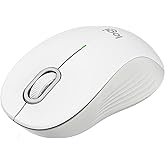
Connect up to 6 Logi Bolt wireless keyboards and mice to one computer with a single Logi Bolt receiver and forget the hassle of multiple USB receivers.
Logitech Bolt USB-C Receiver
товар №: 220463164

Logitech Bolt USB-C Receiver

товар №: 220463164

TJS 265

Price Details

Excluding Shipping & Custom charges ( Shipping and custom charges will be calculated on checkout )

*All items will import from США

В наличии
США Импортировано из магазина USA

QTY:

Закажите сейчас и получите товар приблизительно Суббота, Июль 11
Our Top Logistics Partners
  • fedex
  • dhl
Connect up to 6 Logi Bolt wireless keyboards and mice to one computer with a single Logi Bolt receiver and forget the hassle of multiple USB receivers.
Гарантия U-Care:
Нет
Выберите план
fast shipping

Fast
Shipping

free return

Free
Return*

secure packaging

Secure Packaging

100% original products

100% Original Products

pci-dss

PCI DSS Compliance

iso certified

ISO 27001 Certified


paypal payment
visa payment
mastercard payment
Note: Step Down Voltage Transformer required for using electronics products of США store (110-120). Recommended power converters Купите сейчас.

What Stands Out

Universal Compatibility
The Logitech Bolt USB-A receiver offers seamless compatibility with a wide range of Logitech devices, ensuring users can connect multiple peripherals effortlessly without the hassle of constant reconfiguration.
Secure Connection
Using advanced encryption technology, the Logitech Bolt ensures a highly secure wireless connection, significantly reducing the risk of interference and unauthorized access, ideal for sensitive work environments.
Long Range
Featuring an extended wireless range, this receiver allows reliable connectivity up to 10 meters, providing users the freedom to work or play remotely without the limitations of traditional wired connections.

Информация о продукте

Shop Logitech Bolt USB-C Receiver online at a best price in Tajikistan. B0F9DWFSHP
Item Weight0.1 lbs (50 grams)

Who Should Buy?

Suitable For
  • Office Workers

    Ideal for users with Logitech wireless peripherals, offering a stable link and seamless connectivity in a busy office environment.

  • Frequent Travelers

    Compact and easy to carry, it simplifies connecting devices on the go, especially for business presentations and remote work.

  • Multi-Device Users

    Perfect for users managing multiple Logitech devices, allowing quick switching and improved productivity without tangled cords.

Not Suitable For
  • Budget Shoppers

    Those looking for inexpensive options might find other alternatives that offer basic connectivity without additional features.

  • Casual Gamers

    May not meet the specific needs of gamers looking for low-latency performance and specialized gaming features in a receiver.

  • Apple Users

    Mac users relying on Bluetooth may prefer integrated wireless solutions without the need for additional USB devices.

ОПИСАНИЕ ТОВАРА

Logitech Bolt USB-C Receiver

Вопросы и ответы клиентов

  • вопрос: What is the Logitech Bolt USB-A Receiver used for?

    отвечать: The Logitech Bolt USB-A Receiver is designed to connect Logitech wireless peripherals like mice and keyboards to your computer. This compact dongle plugs into a USB-A port, allowing for a seamless 2.4 GHz connection that ensures low-latency performance. When using multiple Logitech devices, the receiver can manage up to six devices with its advanced Logitech Flow technology. This is beneficial for users who often switch between devices, enhancing productivity in workspaces.
  • вопрос: Is the Logitech Bolt USB-A Receiver compatible with all Logitech devices?

    отвечать: The Logitech Bolt USB-A Receiver is not universally compatible with all Logitech devices. It is specifically optimized for those devices that feature Logitech's Bolt technology. Checking the product compatibility on Logitech's website or packaging helps ensure that your device will work with the receiver. This is particularly important if you're investing in multiple peripherals for enhanced functionality in both personal and professional environments.
  • вопрос: How does the Logitech Bolt USB-A Receiver enhance productivity?

    отвечать: The Logitech Bolt USB-A Receiver enhances productivity through its ability to connect multiple Logitech devices simultaneously using a single receiver. This means you can reduce clutter from multiple USB ports while easily managing your mouse and keyboard under one connection. Additionally, with the Logitech Flow feature, you can control multiple computers seamlessly, which is especially useful for multitasking across various operating systems. This setup is ideal for professionals who need to switch focus quickly and efficiently.
  • вопрос: Do I need to install software for the Logitech Bolt USB-A Receiver?

    отвечать: In most cases, you do not need to install additional software for the Logitech Bolt USB-A Receiver. It is designed for plug-and-play functionality, which means that once plugged into a USB-A port, it should automatically recognize compatible devices. However, for advanced settings and customization, downloading Logitech Options software can provide additional features and control over the connected peripherals, making it suitable for users who require specific configurations.
  • вопрос: Can I use the Logitech Bolt USB-A Receiver on different operating systems?

    отвечать: Yes, the Logitech Bolt USB-A Receiver is compatible with various operating systems including Windows, macOS, and Chrome OS. This flexibility allows users to connect their Logitech devices across different laptops or desktops without the need for multiple receivers. This feature is particularly advantageous in environments where shared devices are common, providing a hassle-free experience in both personal and professional scenarios.
  • вопрос: What makes the Logitech Bolt USB-A Receiver different from other receivers?

    отвечать: The Logitech Bolt USB-A Receiver stands out due to its advanced connectivity featuring a robust wireless signal with low latency transmission. Unlike older receivers, the Bolt technology focuses on enhanced security and minimal interference from other devices, ensuring a stable connection. This is critical in environments with multiple wireless devices, as it provides a more reliable and uninterrupted experience, perfect for users who engage in tasks requiring precision and responsiveness.
  • вопрос: Can I extend the connectivity range of my Logitech Bolt USB-A Receiver?

    отвечать: The connectivity range of the Logitech Bolt USB-A Receiver is optimized for up to 10 meters (33 feet) in an open environment. While this is sufficient for most use cases, ensuring the receiver is within line-of-sight of the peripherals can help maintain the best performance. If you need to extend the connectivity range due to obstacles such as walls or large office furniture, using a USB extension cable can provide better placement options while maintaining signal quality.
  • вопрос: Is the Logitech Bolt USB-A Receiver suitable for gaming?

    отвечать: While the Logitech Bolt USB-A Receiver is optimized for general productivity use, it is not specifically designed with gaming performance in mind. Gamers may require specialized equipment for ultra-low latency and high-performance features. However, if you are a casual gamer who values a reliable connection for basic gaming tasks, the Bolt receiver can work adequately, allowing for a responsive experience without extensive lags in most scenarios.
  • вопрос: How do I troubleshoot connectivity issues with the Logitech Bolt USB-A Receiver?

    отвечать: If you're experiencing connectivity issues with the Logitech Bolt USB-A Receiver, first ensure that the receiver is securely plugged into a functional USB-A port. If the device is unresponsive, try re-pairing the device by turning it off and on, or simply unplugging and re-plugging the receiver. Updating the Logitech Options software can also resolve many device communication issues. This troubleshooting process is particularly useful in environments where multiple devices may cause interference.
  • вопрос: Where can I buy the Logitech Bolt USB-A Receiver in Tajikistan?

    отвечать: You can purchase the Logitech Bolt USB-A Receiver from Ubuy. Ubuy offers a convenient platform for consumers in Tajikistan to find a variety of Logitech products, ensuring you have access to the latest technology for your peripherals.

Logitech USB Network Adapters Editorial Review

Редакционных отзывов не найдено

Customer Reviews & Ratings

5.0
1 оценки клиентов
  • 5 звезда
    100%
  • 4 звезда
    0%
  • 3 звезда
    0%
  • 2 звезда
    0%
  • 1 звезда
    0%

Оцените этот товар

Поделитесь своими впечатлениями

Platform Trust & Buyer Confidence

trustpilot logo
4.3/5 9,000 + reviews
Read reviews
MT
Mohd
Verified buyer

“The product received very good packaging & safe…Thank You”

16 June 2026 · via Trustpilot
SJ
Shawati
Verified buyer

“Accurate delivery timing given”

16 June 2026 · via Trustpilot
YB
Youcef
Verified buyer

“Not madly expensive like I thought, and much quicker than promised.”

15 June 2026 · via Trustpilot
LM
Leila
Verified buyer

“Never dealt with Ubuy before, but everything worked out great. Seamless cross border purchasing and shipping. Thanks!”

6/7/2026 · via Trustpilot
KA
Kwame
Verified buyer

“The process was smooth, with clear communication and timelines. This was my 1st purchase and I am really impressed. I will definitely be coming back.”

12 June 2026 · via Trustpilot
Безопасное оформление Global Delivery Easy Returns Genuine Products

Product Price History

Важная информация

  • Ограничения: обратите внимание, что для товаров, поставляемых за границу, гарантия производителя может быть недействительной; обслуживание от производителя может быть недоступно; руководства по эксплуатации, а также инструкции и предупреждения о безопасности могут быть не на языках страны назначения; товары (и сопутствующие материалы) могут не быть разработаны в соответствии со стандартами, спецификациями и требованиями к маркировке страны назначения; товары также могут не соответствовать напряжению в стране назначения и другим электрическим стандартам (при необходимости требуется использование адаптера или преобразователя). Получатель несет ответственность за обеспечение законного ввоза товара в страну назначения. При заказе через Ubuy или его аффилированных лиц получатель является зарегистрированным импортером и должен соблюдать все законы и правила страны назначения.
  • Не все товары на Ubuy выставлены на продажу, поскольку Ubuy — это глобальная поисковая система. На товары распространяются законы в области экспорта и торговли.